
Product feed management software: 10 options for 2026
Product feed management software compared by job: feed rules, marketplace operations, managed services and product profitability. Choose what to pilot.
Product feed management software turns store data into the product listings each sales or advertising channel requires. The best choice depends on whether your problem is bad attributes, marketplace operations, maintenance workload or deciding which products deserve more exposure.
This comparison separates those jobs rather than ranking unlike tools on one score. The worked pricing example uses published marginal bands; the pilot checks show what to verify with your own products.
Which product feed management software should you shortlist?
Choose software against the task your team cannot complete reliably today. A tool that distributes listings and a tool that sets product priorities can belong in the same setup.
| Option | Job to evaluate | Deciding question |
|---|---|---|
| DataFeedWatch | Feed rules and channel-specific enrichment | Can your team maintain the mappings across shops? |
| GoDataFeed | Feed preparation with a choice of support models | Who will own setup and recurring errors? |
| Feedoptimise | Feed transformation and content optimisation | How are items, sources and exports counted? |
| Channable | Feed management alongside channel expansion | Does the proposed plan cover your markets and refresh needs? |
| Koongo | Feeds, marketplace connections and order workflows | Which channels support the complete workflow you need? |
| Shoppingfeed | Marketplace listings and retail operations | Can the integration handle your variants and stock changes? |
| Lengow | Advertising feeds and marketplace modules | Which modules and services are included in the quote? |
| Feedonomics | Managed product-data operations | What does the service team own after launch? |
| Productsup | Product-data syndication across markets | Can it support your local data and destination requirements? |
| Product Metrics | Product performance, context and Merchant Center labels | Which eligible products should receive higher or lower priority? |
The vendor sections describe their advertised focus, not results from a hands-on comparison. Product Metrics is our own platform; its role is explained separately so you can assess the overlap.
Google Merchant Center’s product-data terminology glossary distinguishes a data source, attribute rules and product data. Start with those boundaries when a vendor uses “optimisation” to describe several different jobs.
Which tools suit feed rules and enrichment?
DataFeedWatch, GoDataFeed and Feedoptimise are starting points when the source data needs transformation before a channel can use it. Test changes on a working export so a destination-specific title does not overwrite your store’s product page.
DataFeedWatch
DataFeedWatch focuses on mapping, rules and channel-specific product data. It is relevant when an agency or retailer needs different titles, categories or exclusions for several destinations.
Bring one awkward variant group to the demo and ask the operator to build its rules in front of you. Then check whether a colleague can understand those rules without the original author. This reveals maintenance effort that a connector count cannot.
GoDataFeed
GoDataFeed offers feed-management software and managed services. That choice matters when your team can define the merchandising requirements but lacks time to maintain exports.
Ask which validation happens before submission and which errors only appear after a destination processes the data. For managed work, put correction ownership and response expectations in the proposal. A software subscription and an ongoing maintenance service need different acceptance criteria.
Feedoptimise
Feedoptimise combines feed management with AI-assisted content optimisation and offers self-managed and managed services. Evaluate it when repetitive title or attribute work occupies your team.
Check generated content against the source record before publishing: size, colour, material and identifiers must remain accurate. Ask the vendor to price your actual sources, exports and variant structure; a headline item allowance is not enough to calculate the full bill.
For the implementation work behind these options, use our Google Shopping feed optimisation guide. Google’s product-data issue guidance also explains why submitted information and the website must agree.
Which tools connect feeds with marketplace operations?
Channable, Koongo, Shoppingfeed and Lengow merit a closer look when publishing listings is only part of the job. Marketplace selling also involves stock changes, orders and channel-specific requirements, so test each required direction of the integration.
Channable
Channable’s feed management tool belongs on a shortlist for retailers expanding their channel mix. Evaluate the exact combination of item limits, projects, destinations and update frequency in the proposed package.
Use a country-specific export in the trial rather than duplicating the domestic feed unchanged. Check currency, language, shipping information and exclusions together. Ask for confirmation of the current plan’s capabilities before relying on a feature shown in a general demo.
Koongo
Koongo presents product feeds, marketplace integrations and order management in one platform. It suits an evaluation where keeping outbound listings and inbound orders connected matters as much as attribute mapping.
Write down each required flow separately: product creation, price updates, stock updates, order import and fulfilment status. Confirm support for your store and destination for every flow. A channel appearing in an integration directory does not establish all five.
Shoppingfeed
Shoppingfeed focuses on marketplace syndication and associated retail operations. A useful test is whether it can publish the right subset of products while keeping variants and inventory aligned.
Try an exclusion rule, a partial stock change and a newly added variant. Inspect the resulting listing rather than stopping at a successful export. If you want a margin-based selection rule, establish where its cost data will come from and who maintains it.
Lengow
Lengow’s product feed management offering sits within its wider advertising and marketplace suite. Its NetAmplify advertising-feed scope makes it relevant when several ad destinations need a shared transformation layer.
Price the modules your workflow actually uses. Ask whether marketplace execution, intelligence and onboarding are part of the same proposal or separate purchases. Then test a change across destinations to see which rules are shared and which need their own maintenance.
Keep item identifiers stable as the setup grows. Our product feed guide explains the data relationships; Merchant Center feed rules covers the role of attribute transformations.
When is managed feed maintenance the better choice?
Managed maintenance fits when nobody internally can own mappings, monitoring and corrections after launch. Compare the service responsibilities as carefully as the software features.
Feedonomics
Feedonomics offers managed product-data services alongside its platform. The buying question is how much implementation and ongoing feed work the service team will take on.
Request a responsibility list covering new destinations, source-schema changes, failed submissions and seasonal peaks. Name an internal owner too: your business still needs to approve product facts and merchandising choices. A managed arrangement works best when escalation and approval routes are explicit.
Productsup
Productsup is an option to evaluate for product-data syndication across markets and destinations. Separate platform configuration from any managed-service scope in the quote.
Have the vendor demonstrate one localised product record through import, transformation and export. Check units, required attributes and regional content approvals. For a large rollout, the handover between local teams and central operations deserves its own test; a clean first export does not prove that process works.
What does Product Metrics add to a feed setup?
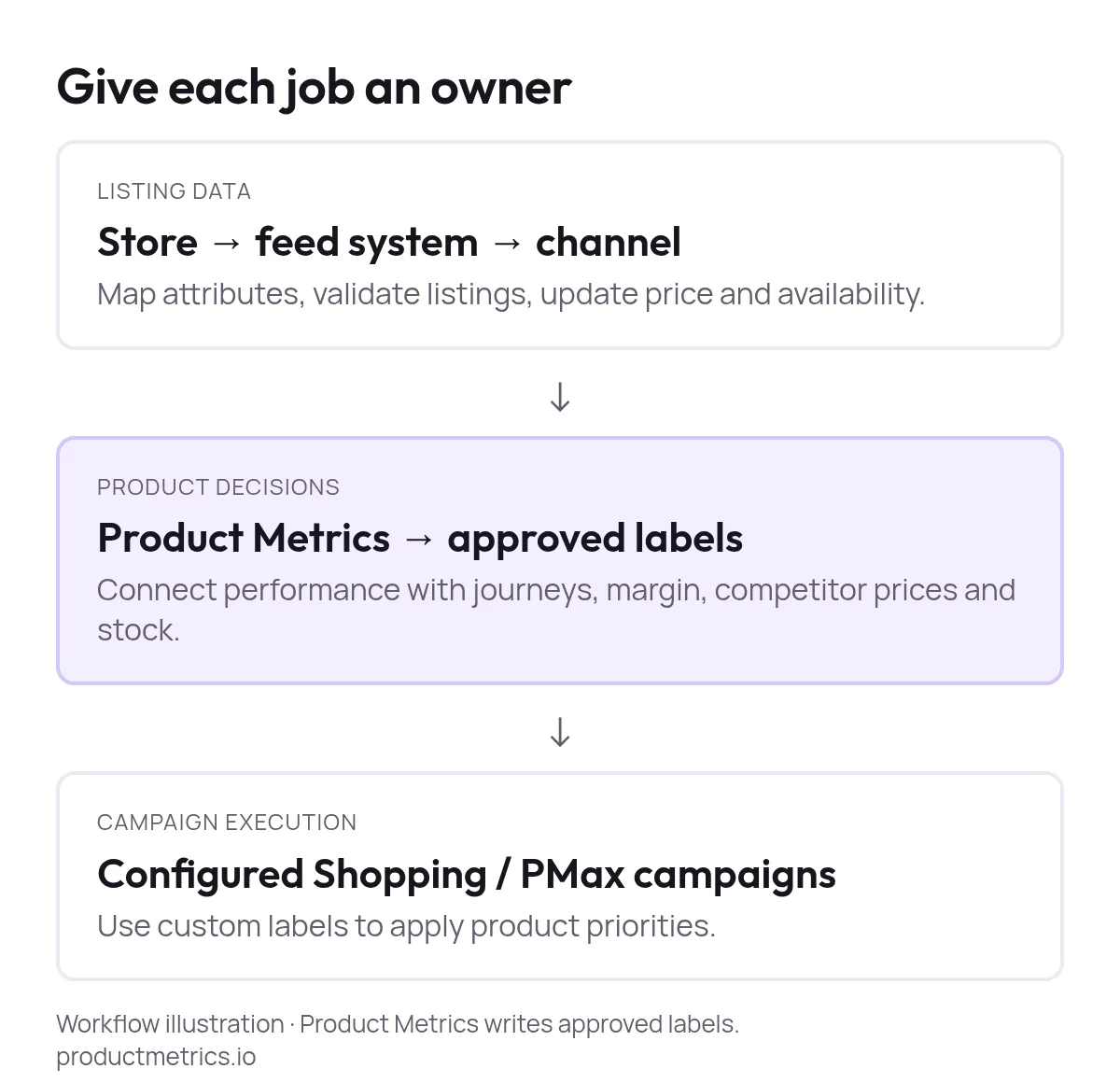
Product Metrics connects product advertising performance with journeys, margin, stock and competitor price context, then turns priorities into approved Merchant Center labels. Use it when you need to understand what each product contributes and act on that information in Shopping and Performance Max.
Product Segmentation uses Machine Learning to place products in six segments: Stars, Question Marks, Cash Cows, Dogs, Drainers and Ghosts.
Advertising clicks supply the volume dimension; return is assessed against your ROAS or POAS target.
The surrounding context helps explain the result. Product journeys show purchases after an entry-product click, including purchases of other products.
Competitor Prices compares relevant alternatives using approved dimensions, including own-brand products without a shared GTIN. Inventory context helps you decide whether more exposure is sensible.
Product rules express merchant-controlled WHEN/THEN conditions and write the labels you approve. Configured campaigns use those labels to apply priorities; the labels do not themselves change bids, product prices or replenishment orders. Full Signal Tracking is included in Pro.
That is a different buying job from repairing a broken data source. Google’s product-level troubleshooting guidance covers submission problems, including price and availability mismatches. Resolve those issues before judging performance.
How much does Product Metrics cost?
Product Metrics charges a graduated share of rolling 30-day Google Shopping spend, with the first €10,000 free and no minimum. At €50,000 spend, the calculation is €15,000 at 0.65% plus €25,000 at 0.60%: €247.50 per month excl. VAT.

Show the dataHide the data
| Rolling 30-day Google Shopping spend | Monthly fee excl. VAT |
|---|---|
| €10,000 | €0.00 |
| €25,000 | €97.50 |
| €50,000 | €247.50 |
| €100,000 | €547.50 |
The pricing page lists every band. Price Monitoring is optional at €0.004 per product check, excl. VAT, so include the products checked and the checking frequency in your budget.
Free product analysis requires login and account-data consent, with no credit card. The separate 30-day trial requires a card; cancelling during the trial means no charge.
How should you pilot a feed management tool?
Pilot one destination through a full correction cycle, including a later refresh and a handover to another person. Importing tidy data proves much less than fixing a representative failure.
- Choose representative productsInclude variants, a missing identifier, a sale item and a product that goes out of stock. Use one destination first.
- Record the starting problemsSave affected item IDs, destination errors and current values. Name the person responsible for each correction.
- Build and inspect the rulesPreview changed fields before export. Check that unrelated products retain their values and excluded items stay excluded.
- Trigger a real source changeChange a test product's price or availability and time its journey from the store through the tool to the destination.
- Check the next refresh and handoverConfirm the correction survives another import. Have a second person diagnose an error, then export the rules and document ownership.
Use acceptance evidence that your team can inspect rather than a generic “feed health” score:
| Test | Evidence to save | Pass condition |
|---|---|---|
| Product mapping | Source and destination item IDs | The same product and variant remain connected |
| Attribute correction | Before/after values and next import | The fix persists without altering unrelated items |
| Freshness | Store-change and destination timestamps | The measured delay fits your trading requirements |
| Failure handling | Alert, owner and correction record | A second operator can resolve the issue |
| Cost | Quote plus time spent maintaining the pilot | Required modules and recurring work are accounted for |
Measure freshness at the destination, not only at export. Google’s regional price and availability troubleshooting calls for agreement between product data, visible prices and structured data. It also identifies manual Merchant Center edits as a possible source of overrides.
A fast feed cannot fix disagreement at the source. Start with fast-changing or low-stock products, where stale information creates the most exposure. Test a sale starting and ending, an out-of-stock change and a rule overwritten by a later import. Keep those results alongside the quote so your buying decision reflects the work your team will inherit.
Final thoughts
Choose the system that removes a specific recurring failure, then prove the handover works before adding another destination. The most useful demo ends with a correction your team can repeat.
If conflicting master records keep reintroducing bad attributes, evaluate the upstream data process too. KeenVerdict’s MDM software comparison is further reading for that separate buying decision.
If you shortlist a managed service, use this Feedonomics software review as a source of questions for the provider. Confirm current service scope directly rather than treating a third-party review as the contract.
Written by
Berend Vrakking, Founder of Product Metrics
1M+ products analysed · Nominated at the Dutch Search Awards for Best Measurement Campaign (2023) and Best Use of Data (2024)
Keep reading.
Campaign Segmentation in Google Shopping - Principles, Pitfalls, and Governance
Campaign segmentation in Google Shopping - principles, pitfalls and governance for Shopping and Performance Max structures that keep enough data to learn.
Profit In Practice End-To-End COGS And Margin Integration For Google Shopping
How to collect COGS per product, model profit per order and send it to Google Ads as the conversion value, so Shopping and Performance Max bid on profit.
Custom Label Intelligence: Segment, Bid, and Measure Granularity In Google Shopping
Custom Label Intelligence for Google Shopping: a five-slot label schema, label-level dashboards and an experimentation ladder for Shopping and Performance Max.
Frequently asked questions.
Do you need margin data before using Product Metrics?
Can a feed tool and Product Metrics update the same Merchant Center account?
What should you ask about before leaving a feed provider?
See which of your products to push, fix or pause. Start with your own products, or a 30-second estimate.
Check one product first: work out its break-even ROAS in the calculator. Then see where all your products stand.
Questions, or want to spar about your products? Book a demo: a video call with Berend, then a demo account.